

Settings & your account
Settings is where you tell Yven how your shop works, so the rest of the app does the right thing by default. The page is split into five tabs – Profile, Account, Invoicing, Integrations, and Data – so related controls stay together.
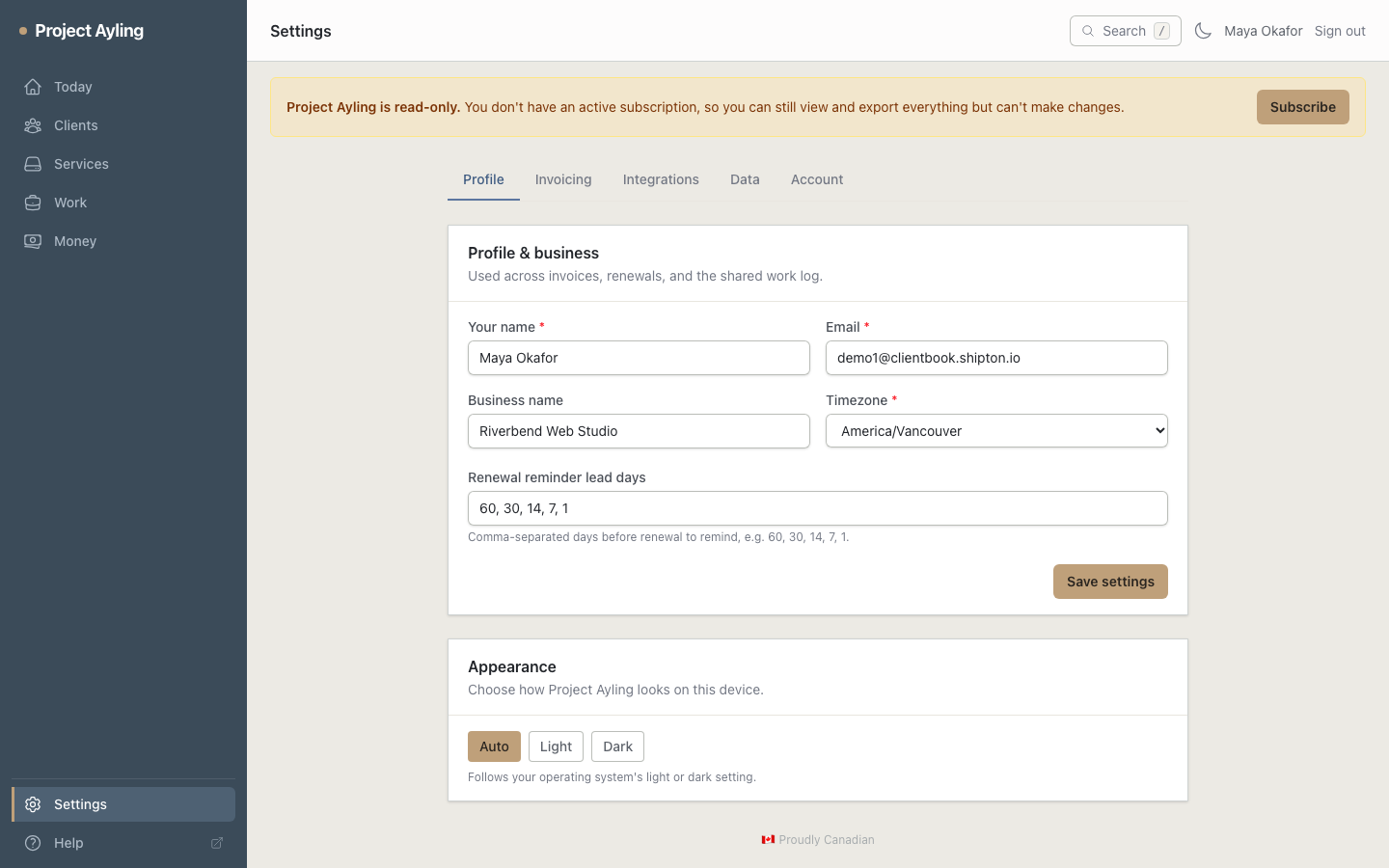
Profile tab
Who you are
Set your name, business name, contact email, and timezone. Your timezone drives when the renewal digest is sent and how dates are shown.
Renewal reminder lead days
How far ahead the renewals digest warns you, as a comma-separated list of days
(e.g. 60, 30, 14, 7, 1).
Appearance
Choose Auto, Light, or Dark. Auto follows your system’s setting; the other two lock the app to that mode on this device – see appearance.
Invoicing tab
- Default hourly rate and currency – used unless a client overrides them.
- Default markup % – applied to rebilled services with no client- or service-level markup set.
- Taxes – two configurable tax labels and rates, snapshotted onto each invoice.
- Invoice prefix – the prefix for your invoice numbers (e.g. INV → INV-0042).
- Fiscal year start – which month your fiscal year begins (defaults to January), used for the fiscal year reminder.
- Payment instructions – printed on built-in invoices.
- Whether a shared work log shows logged time is no longer an account setting – it’s a switch on each client’s Overview.
Currency accepts standard ISO-style codes (CAD, USD, EUR…) and stays tolerant of free entry.
Integrations tab
See your current invoicing mode and switch between built-in, QuickBooks Online, and FreshBooks. Connecting a provider routes new invoices to it; disconnecting returns you to built-in invoicing. Your provider login is treated as a secret – it never appears in the app, logs, or exports.
Where it’s enabled, you can also paste a Slack webhook URL here to get the renewal digest in a channel as well as your inbox – see renewal alerts in Slack.
You can also re-run the onboarding wizard from here.
Data tab
Exporting
Take a complete, portable copy of your whole client book as a ZIP containing a JSON bundle plus a spreadsheet-friendly registry CSV. → More on exporting your data.
Importing
Bring in clients, sites, and services from an existing spreadsheet without retyping anything. Yven walks you through a four-step flow – upload, map columns, preview, then commit. → More on importing your book.
Account tab
Subscription
Where platform billing is enabled, view and manage your Yven plan: pause, cancel, or resume your subscription. Plan changes and payment details are handled through the secure checkout – no card details are stored in Yven.
Resuming after a lapsed payment: if your subscription was paused or canceled by you, Resume subscription picks straight back up with your existing card. If it lapsed further – for example a payment kept failing until the subscription was fully canceled – resuming asks you to enter a new card first. Either way your data was never touched; it’s read-only until you resume, not deleted.
Password & account
Update your password or delete your account. Deleting is permanent and immediate – export your data first if you want to keep it.
Where to next
- Take a full copy of your book: exporting your data.
- Bring existing data in: importing your book.
- New to Yven? Re-run the onboarding wizard any time from the Integrations tab.