

Renewals
A domain or certificate quietly expiring on a client’s site is exactly the kind of surprise Yven exists to prevent. Any service with a renewal date is watched for you.
The renewals dashboard
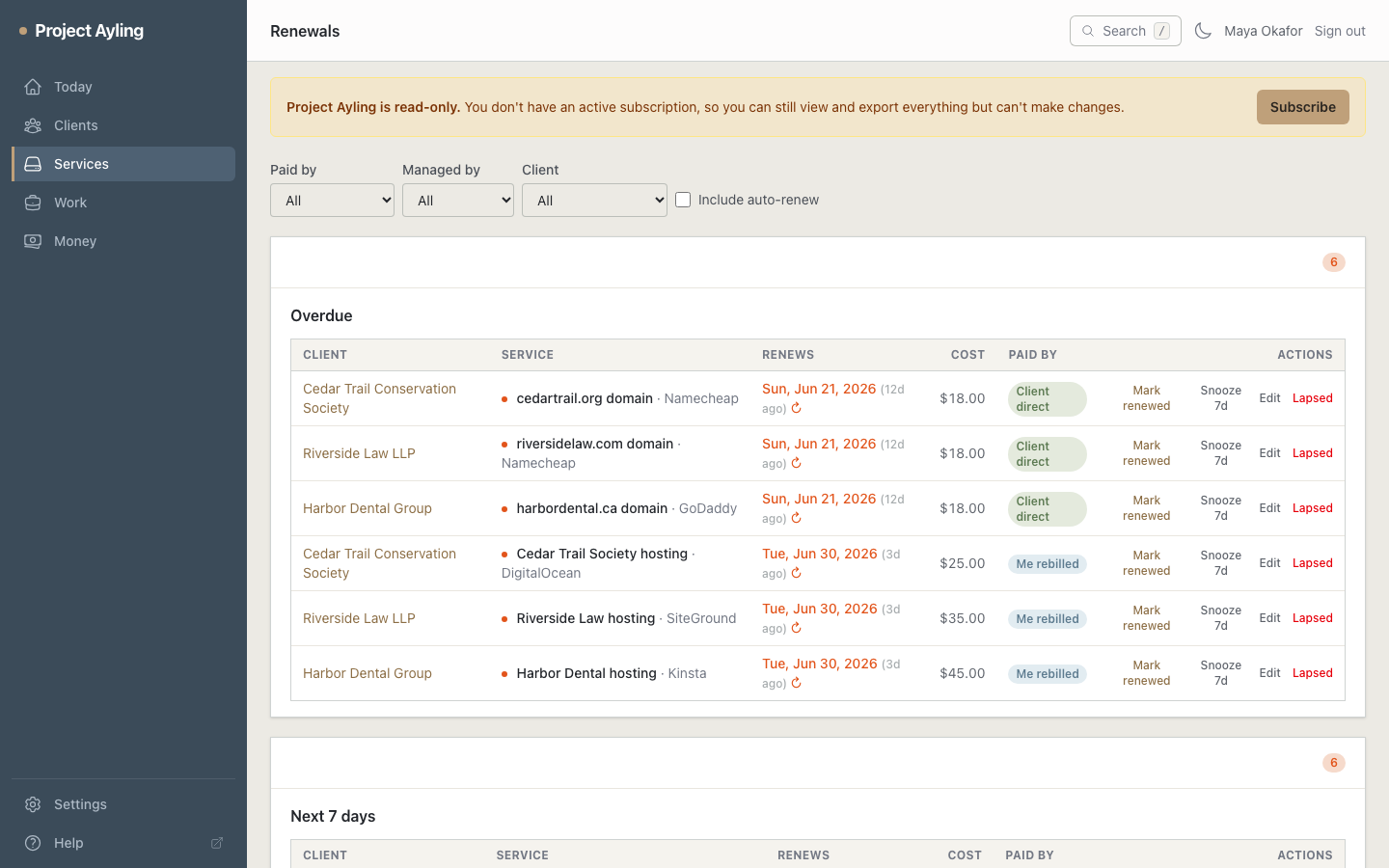
Open Renewals and every dated service is grouped by urgency:
- Overdue – already past due; act now.
- Next 7 days, Next 30 days, Next 90 days, and Later.
You can filter by who pays, who manages, and by client, and choose whether to include services that auto-renew (hidden by default, since they look after themselves).
Row actions
Each renewal offers quick actions, so you can clear the list without leaving the page:
- Mark renewed – advances the date by the service’s renewal period (month-end safe). If the service is one you manage, the Log work dialog opens automatically, pre-filled with the client, site, and a suggested summary (“Renewed …”), so capturing the renewal work takes only a moment. For a service you re-bill, it also records an invoiceable charge at the marked-up price, so the pass-through lands on the client’s next invoice.
- Snooze 7d – moves it forward without changing the real renewal date.
- Edit – open the service to adjust provider, cost, or date.
- Lapsed – record that the service is no longer active.
The renewal digest
Yven emails you once a day, at 8am your time, covering both sides of the picture: your reminder lead days (60, 30, 14, 7, and 1 day before, by default – fully customizable in Settings) as a renewal approaches, and anything that’s slipped past its date, which appears every morning until you deal with it. Nothing repeats itself unnecessarily. See the renewal digest for the details.
Where to next
- How the renewal digest decides what to email you.
- Let Yven fill in a domain’s renewal date with the domain expiry lookup.
- Costs are shown in the client’s (or your) currency – set those in Settings.
- The Today screen surfaces the most urgent renewals first.