
I once described a web server as something like the librarian at a reference desk. It doesn't hold everything in its head but it knows where things are and retrieves them when needed. A client book needs the same thing. You shouldn't have to remember where everything lives. Like your trip to the librarian, you should have something to ask like "where is Riverside Law's website hosted?".
In Yven, you ask by pressing / on any page and a search box opens (it ignores the key while you're typing in a field). It searches your clients, sites, services, projects, work history, and invoices, and the help docs too. Type two letters and it starts. (It also searches the help files, so you can quickly figure out how to do something in Yven)
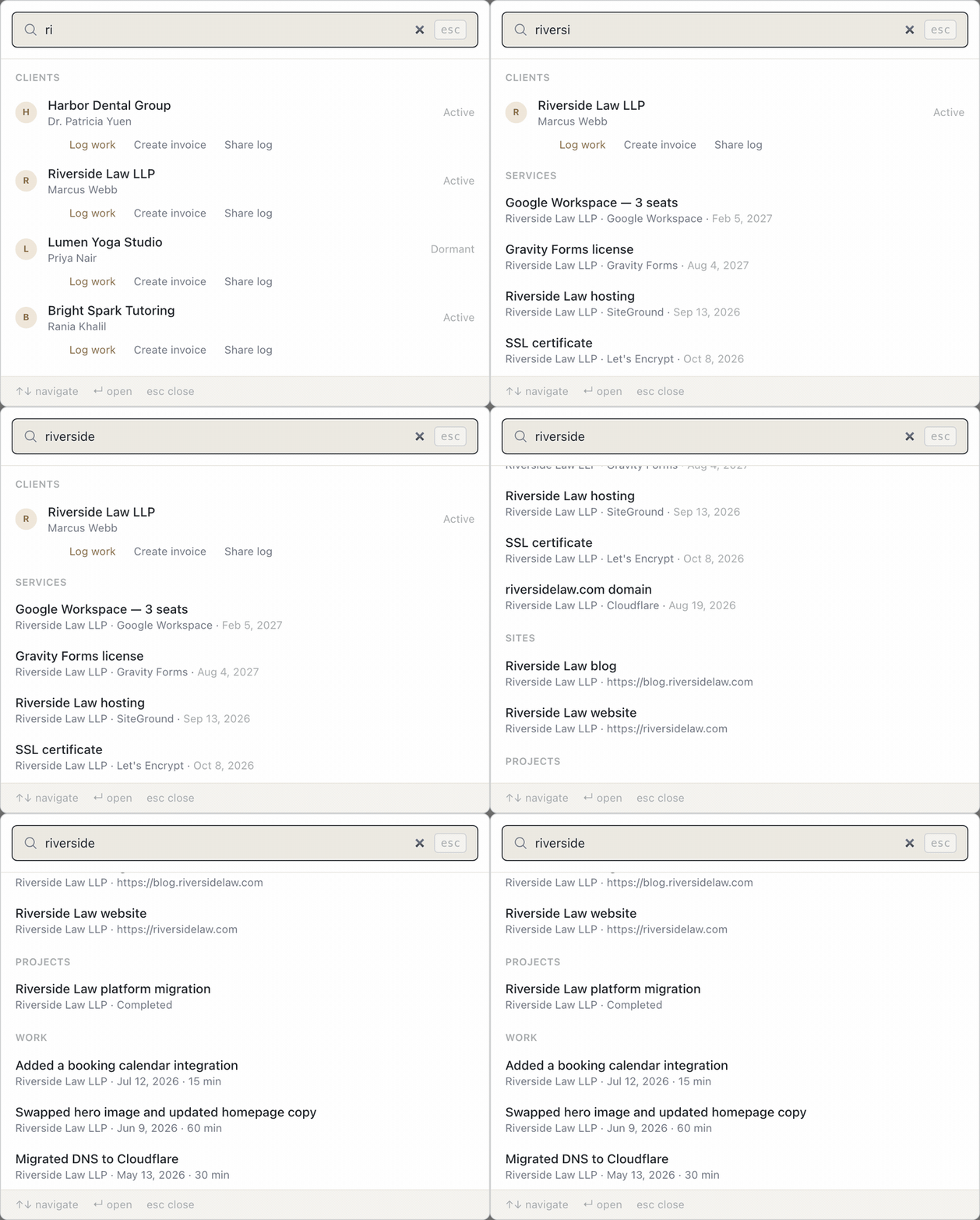
Each word you type narrows the results, and the client's name counts as one of the words. "Northside SSL" finds the SSL certificate that belongs to the client Northside, even though the certificate's own label only says "SSL Certificate." You don't need to remember how you named it.
Open any service and you can see what it is, where it lives, who manages it, who pays for it, when it renews, what it costs, and where the login is stored. Those are the questions you ask when something breaks, and when a client asks "do we still pay for that?"
Services can include domains and DNS, hosting, SSL, email, CMS and plugins, frameworks, databases, code repositories, payments, analytics, backups, monitoring, and a catch-all "other." If you run a Laravel app for one client and a Shopify store for another, both fit.
If you can't answer "where does this client's DNS live?" in under a minute today, that's the problem I built this for. And if you keep this in a tool I should know about, tell me which one through the contact page.
Try it: Yven has a 21-day trial. Start your trial at yven.ca.