
Still running your clients on ctrl-f and vibes?
Yven keeps every domain, login, renewal, and hour of work behind each client in one place you can search in seconds.
21-day trial. Card required, charged only after the trial. Cancel and export any time.
Built for small and solo web shops
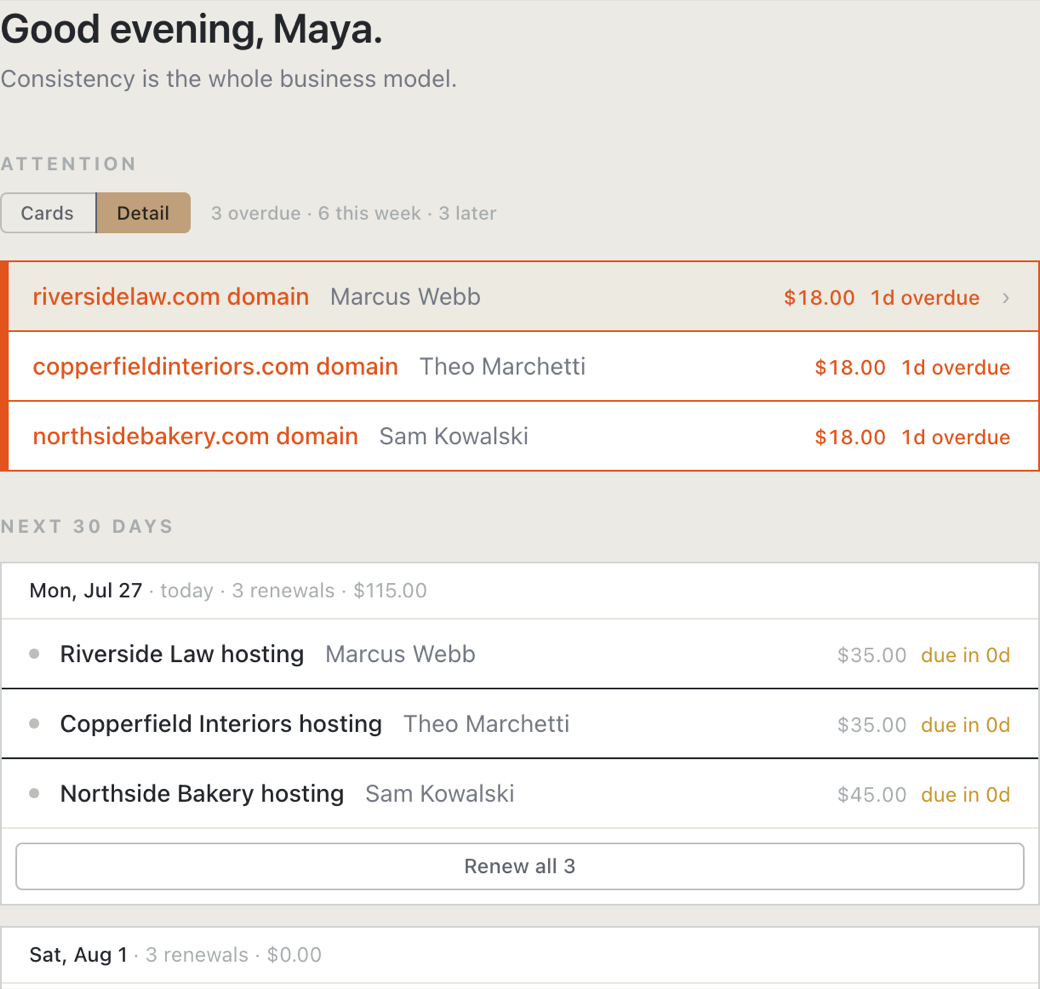

The details all live with you.
Every client you’ve ever taken on is held in one head, at one desk. Yven keeps the details straight, so a busy week, a holiday, or a client coming back from dormancy doesn’t mean something slips. Already keep a spreadsheet? Good – that means you’re halfway here. Import it on day one and your whole client book shows up on one screen: every site, plus every renewal you’d forgotten about.
Photo by Elijah Pilchard on Unsplash
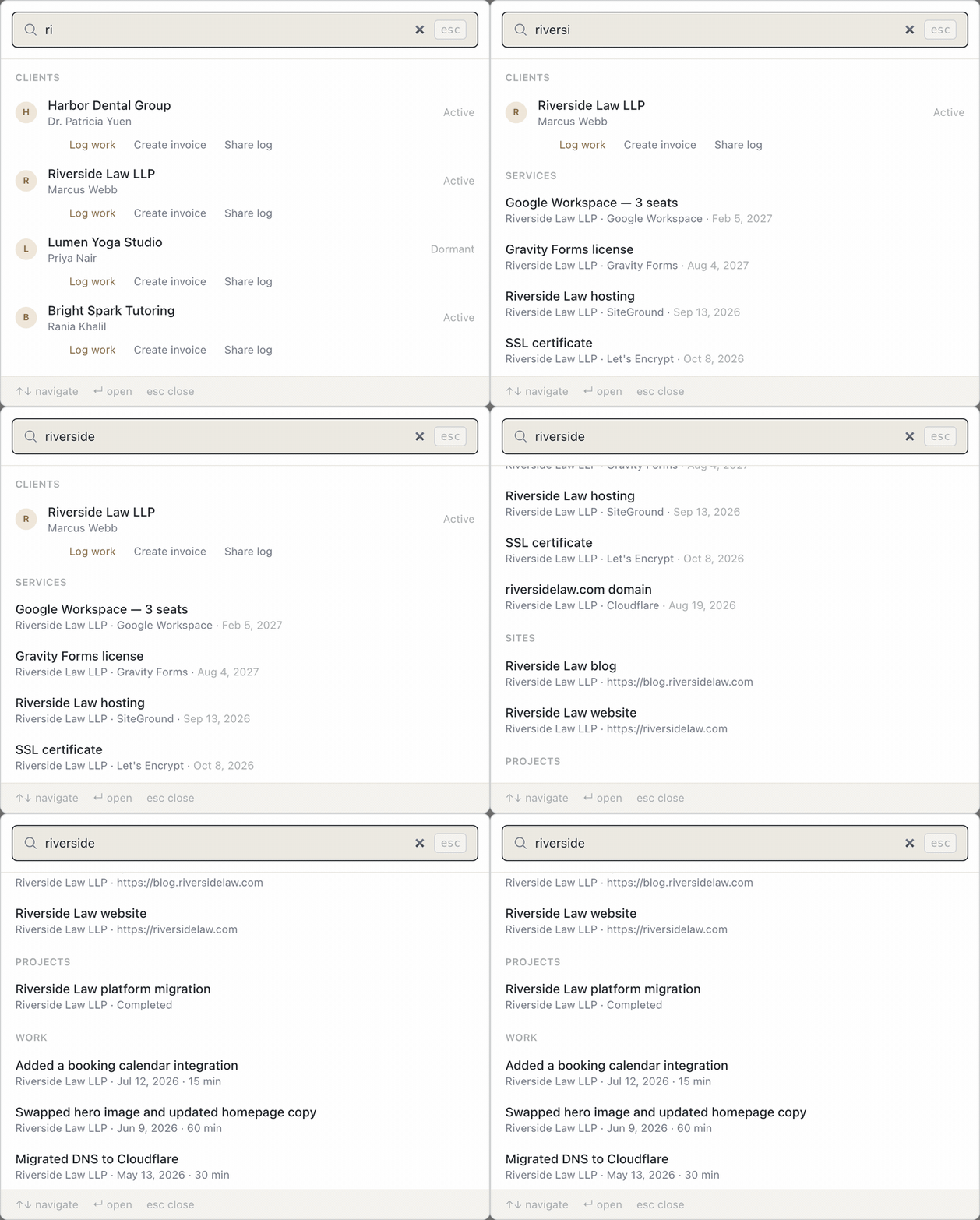
Find it in one search.
When a client site goes down, the clock starts. The answers are usually scattered across email, old invoices, and three different dashboards. Yven maps every domain, DNS record, hosting account, SSL certificate, email, and subscription to the client it belongs to. At a glance you can see who controls each one and who pays for it. Logins point to your password manager, never stored in the app (how it’s secured). “Where does this even live?” becomes a five-second search. Not sure what to record? Read what goes in a client book.
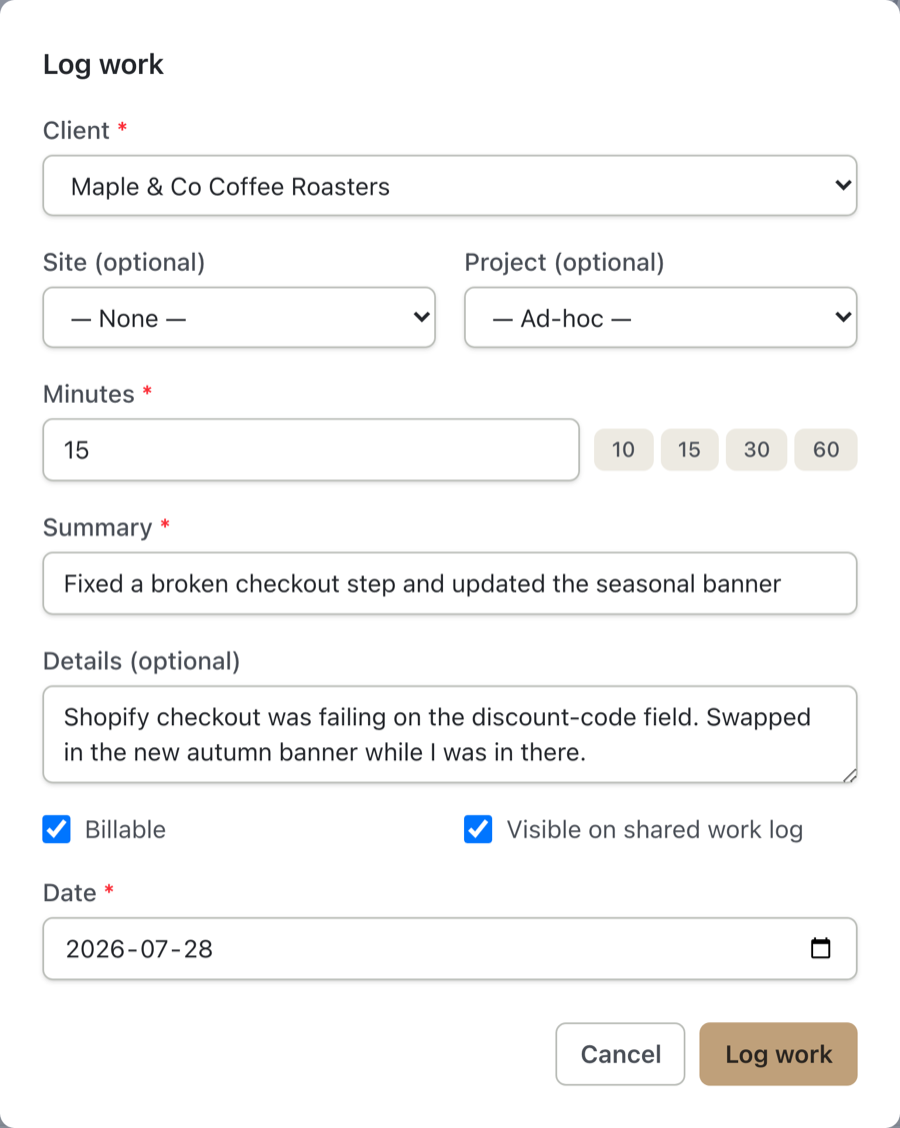
Capture the small stuff before it slips.
“Can you just swap this image?” That drip of tiny requests is where small and solo web shops lose money without noticing. Press W anywhere in Yven and you can log it in under thirty seconds, faster than writing yourself a note. Micro-tasks and full projects, hourly or fixed-fee, sit side by side in the same ledger, ready to batch into one invoice. QuickBooks and FreshBooks push-through is coming soon; built-in invoicing works today.
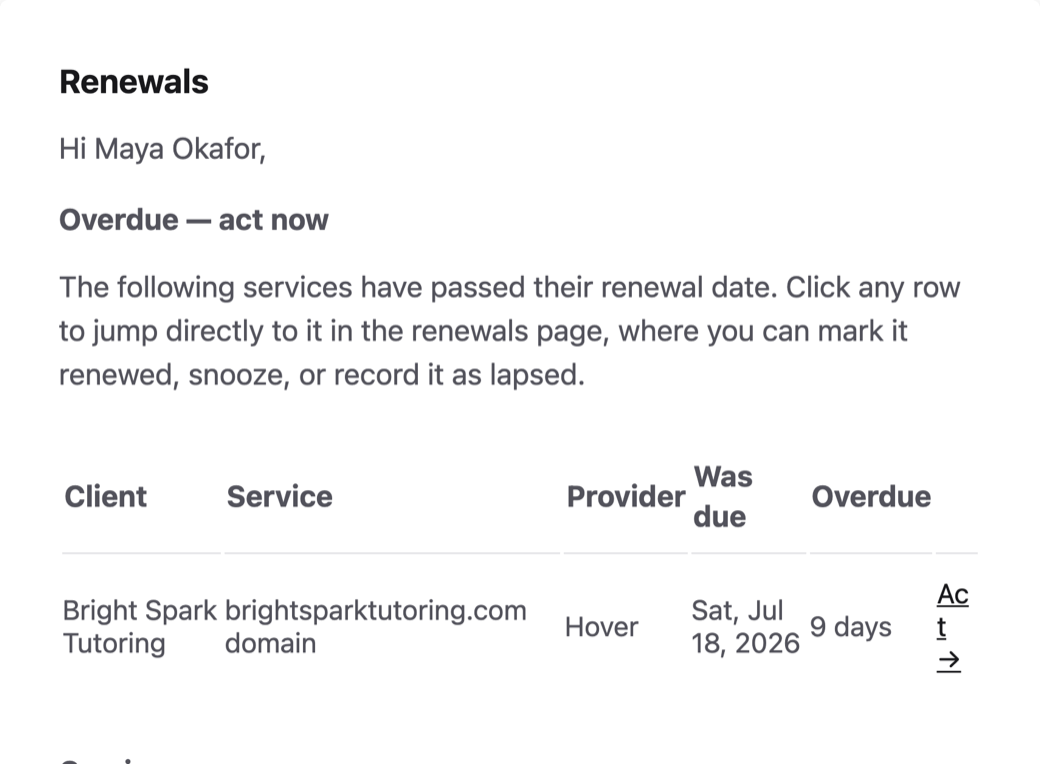
Nothing lapses on Yven’s watch.
Every domain, certificate, and subscription carries a date. Yven watches all of them and sends one morning digest, sorted by urgency, instead of a flood of separate alerts. Each item shows who pays: you, rebilled to the client, or billed direct. Auto-renewals show up too, before they bill, so nothing charges without you knowing.
Renew it, log it, bill it.
When you mark a domain renewed, Yven moves its date on by the renewal period. If you manage it, the Log work form opens with the client and site already filled in. If you rebill it, the charge lands on the client’s next invoice at your markup. Your margin stays private. Not sure who should pay? Read rebilling hosting, domains and licences.
The rest of the toolkit
Small conveniences that save time every week.
- Domain, DNS, hosting, SSL, email, etc, mapped to every client
- Yven never stores your secrets, only a pointer to them
- Press W anywhere to log work in under thirty seconds
- Built-in invoicing today, QuickBooks & FreshBooks coming soon
- Slack notifications alongside email, your choice
- Import your clients and services in minutes, export any time
One plan, everything included.
No per-seat math, no per-client metering, no extra charge for features.
- Unlimited clients, sites, and tracked services
- Renewal digests & the full work ledger
- Built-in invoicing today, QuickBooks & FreshBooks coming soon
- Renewal notifications through email or Slack
- Shareable client work logs
- Import and export your client data
“I built Yven because I was the one ctrl-f-ing through three years of email, trying to remember which GoDaddy login belonged to which client. It’s the tool I wish I’d had then: one place to find everything about a client.”
Where Yven fits
Yven is one tool in a small shop’s kit, not the whole kit. Here’s what I’d pair it with.
| You need | Use | Yven’s part |
|---|---|---|
| To know when a site goes down | A monitor, such as Pulsetic | Holds who to call and where the site lives |
| To win and onboard clients | A CRM or client portal | Starts after the sale |
| WordPress updates and backups | ManageWP or similar | Covers every platform, plus renewals and billing |
| A list of client domains | A spreadsheet | Imports it, then reminds you and bills the work |
What Yven doesn’t do
- It doesn’t check whether your sites are up. Use a monitor for that.
- It doesn’t store passwords. Logins point to your password manager, never stored in the app.
- It doesn’t renew anything for you. It tells you early, and records it when you do.
- It has no client logins. Clients get a private link to the work you choose to share.
- It’s built for one shop’s account, not a team with roles.
Questions people ask
- Do I need a card to start?
- Yes. A card is required, and it isn't charged until the 21-day trial ends. You can cancel at any time, and export your data at any time.
- Is Yven a website monitoring tool?
- No. Yven doesn't check whether a site is up. It keeps the record behind each site – who hosts it, who controls the domain, who pays – and reminds you before dates arrive. For live checks, pair it with a monitor such as Pulsetic.
- Does Yven store my clients' passwords?
- No. Logins point to your password manager, never stored in the app. Each service holds the name of the vault entry, like "1Password › Bakery vault", and nothing more.
- Can I bring my spreadsheet?
- Yes. Map your existing columns on import, or start from my free client asset tracking template, which matches the importer column for column. Bringing a book across takes about three minutes.
- Does it work with WordPress, Shopify, Webflow or custom builds?
- Yes. Yven doesn't connect to the sites themselves, so the platform doesn't matter. Each site records its platform, and the services behind it are tracked the same way whatever it runs on.
- How is Yven different from InstaRenewal?
- Both track the domains, hosting, SSL and licences behind client sites, who owns each one and who pays, and remind you before renewals. InstaRenewal stays narrow on purpose: it isn't a CRM and doesn't replace project management. Yven adds a work log and invoicing, so the small jobs you do on those sites get billed.
- Do I still need ManageWP?
- If you run WordPress sites and want bulk updates and backups, yes – Yven doesn't touch the sites themselves. ManageWP covers WordPress maintenance; Yven covers the client book, renewals and billing on every platform.
- Can I bill clients from Yven?
- Yes. Log work as you go, then batch it with any rebilled renewals into one invoice you can print or save as a PDF. Your markup on rebilled services stays private. QuickBooks and FreshBooks push-through is coming soon.
- What happens to my data if I leave, or if Yven closes?
- You take it with you. Settings exports your clients, sites, services, projects, work history and invoices at any time, so a copy of your book never depends on me. I'd rather you stay because Yven is useful, not because leaving is hard.
- Is it secure enough for clients with regulated data?
- Yven holds no client passwords and no card details, only pointers to your password manager. Traffic is encrypted, data sits on encrypted volumes with daily backups, and it runs on DigitalOcean (SOC 2 Type II) in a Canadian region where one is available. The security page says exactly what I do and don't do, so you can check it against a client's requirements.
- Who runs Yven?
- One person: me. I'm a web developer who built Yven because I was the one searching three years of email for which login belonged to which client. The About page has the rest.
Make your client book survivable.
Bring every client, site, service, and hour of work into one place. It’s searchable in seconds, backed up every night, and yours to export any time.
Want to see it in more detail first? Read through the help centre:
- Getting started – set up your account and bring your client book across
- The registry – track every client, site, and service, and who pays for what
- Renewals – never let a domain, certificate, or licence lapse by surprise
- Work & invoicing – log work in seconds and batch it into one clean invoice