
ctrl-f and vibes isn’t a client management strategy.
Yven is client asset management for small and solo web shops. It puts every domain, login, renewal, and hour of work behind each client in one place. Find any of it in seconds, without digging through spreadsheets and browser tabs.
21-day trial - import your client list in 3 minutes or less via my free client asset tracking template
Built for small and solo web shops
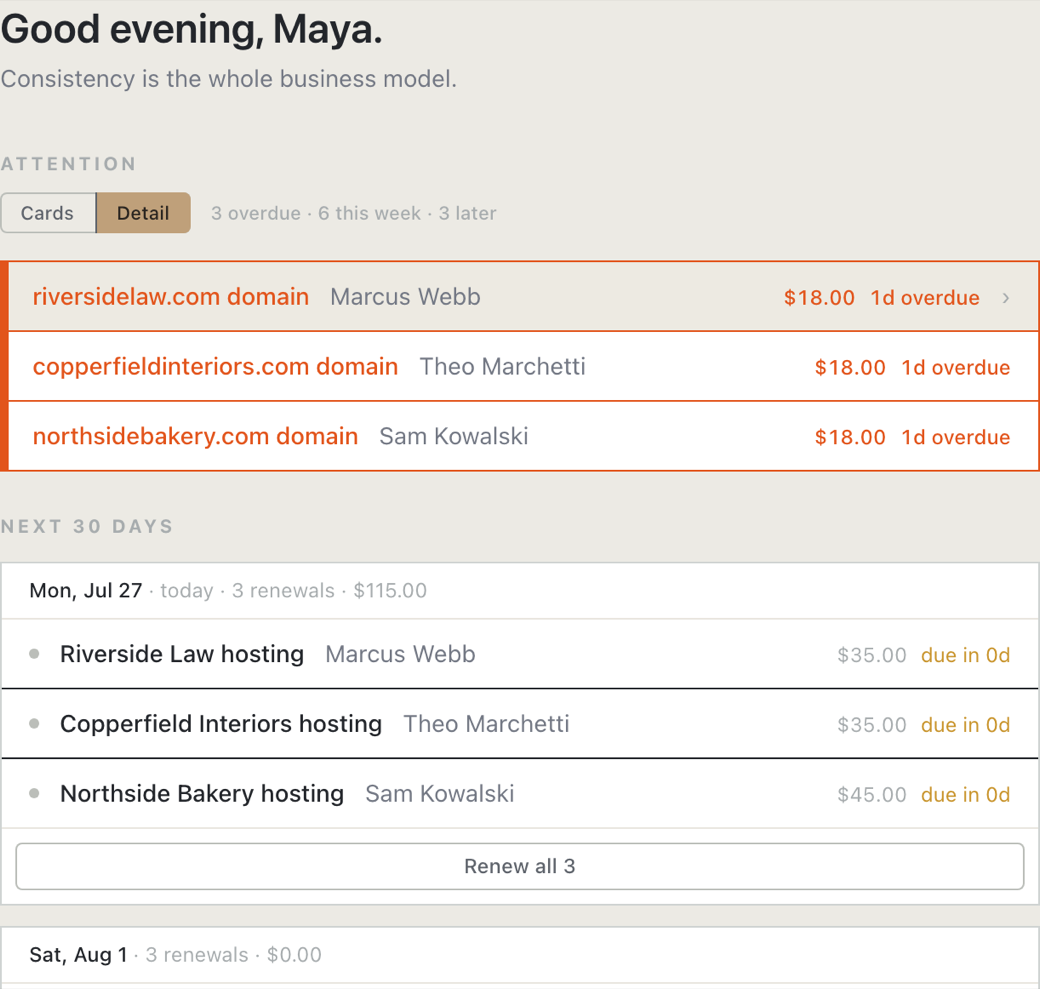
The 7% is industry research, not Yven customer data. The other three describe how Yven works. Hover a stat’s for its source.
What is Yven?
Yven – Your View of Everything Necessary – is the system of record for a small web shop. For each client it holds the sites you look after, the services behind them (who manages each one, who pays, when it renews), and every hour of work you log. So you can find any detail in seconds, and bill all of it.

The details all live with you.
Every client you’ve ever taken on is held in one head, at one desk. Yven keeps the details straight, so a busy week, a holiday, or a client coming back from dormancy doesn’t mean something slips. Already keep a spreadsheet? Good – that means you’re halfway here. Import it on day one and your whole client book shows up on one screen: every site, plus every renewal you’d forgotten about.
Photo by Elijah Pilchard on Unsplash
Three jobs, one quiet tool
Stop stitching together spreadsheets, sticky notes, and the things you only half-remember. One place holds where everything lives, what you did for it, and when it’s due again – so nothing depends on you happening to recall it at 9pm on a Tuesday.
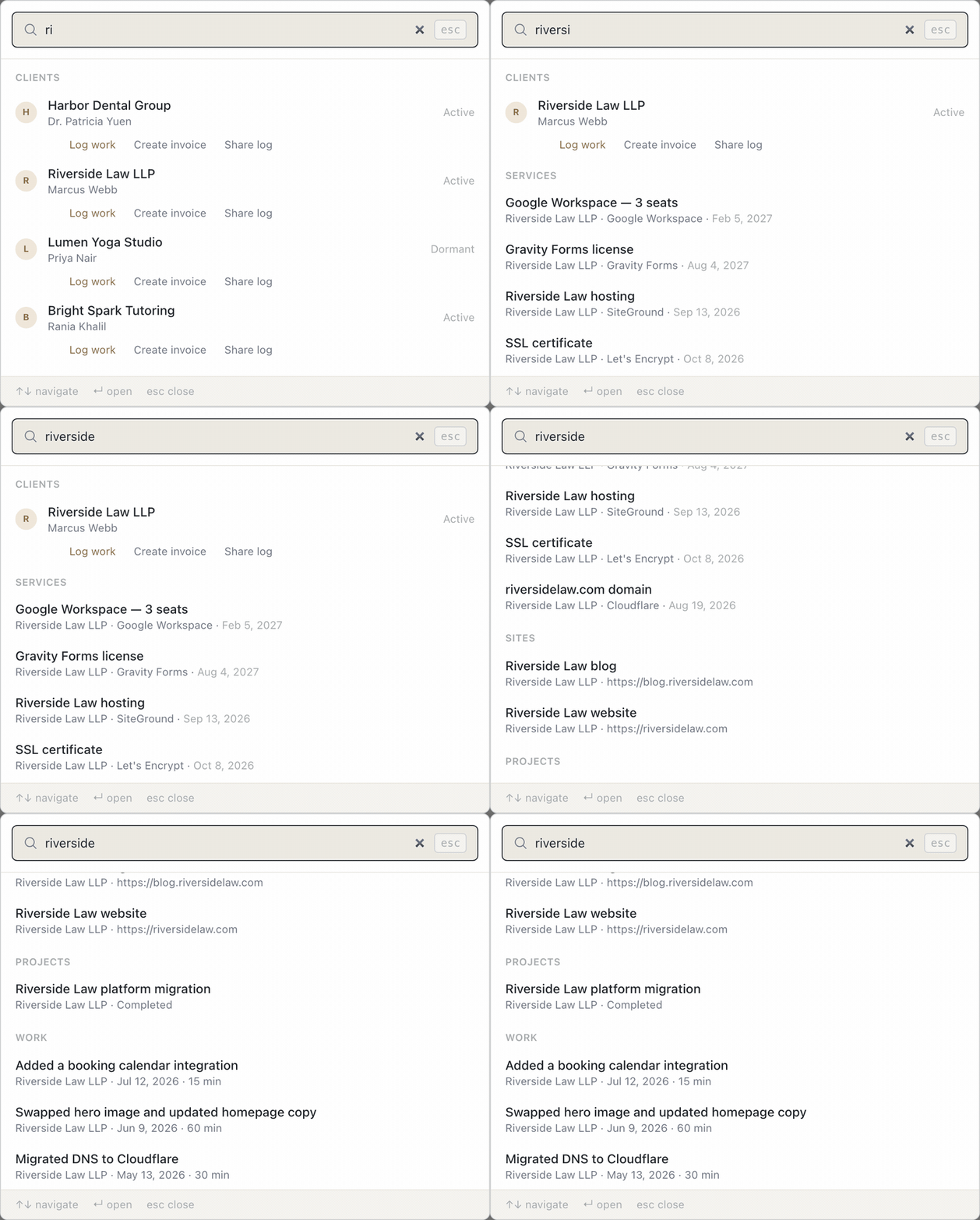
Find it in one search.
When a client site goes down, the clock starts. The answers are usually scattered across email, old invoices, and three different dashboards. Yven maps every domain, DNS record, hosting account, SSL certificate, email, and subscription to the client it belongs to. At a glance you can see who controls each one and who pays for it. Logins point to your password manager, never stored in the app. “Where does this even live?” becomes a five-second search. Not sure what to record? Read what goes in a client book.
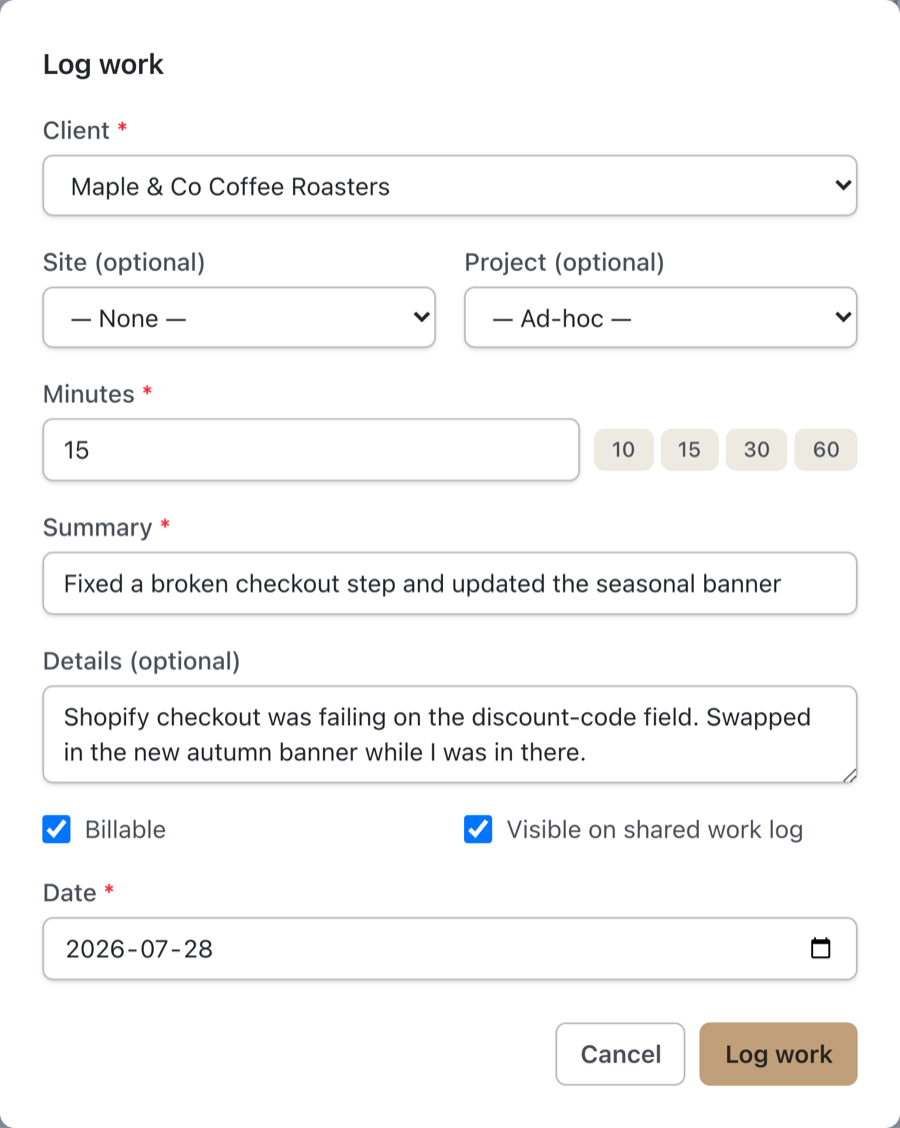
Capture the small stuff before it slips.
“Can you just swap this image?” That drip of tiny requests is where small and solo web shops lose money without noticing. Press W anywhere in Yven and you can log it in under thirty seconds, faster than writing yourself a note. Micro-tasks and full projects, hourly or fixed-fee, sit side by side in the same ledger, ready to batch into one invoice. QuickBooks and FreshBooks push-through is coming soon; built-in invoicing works today.
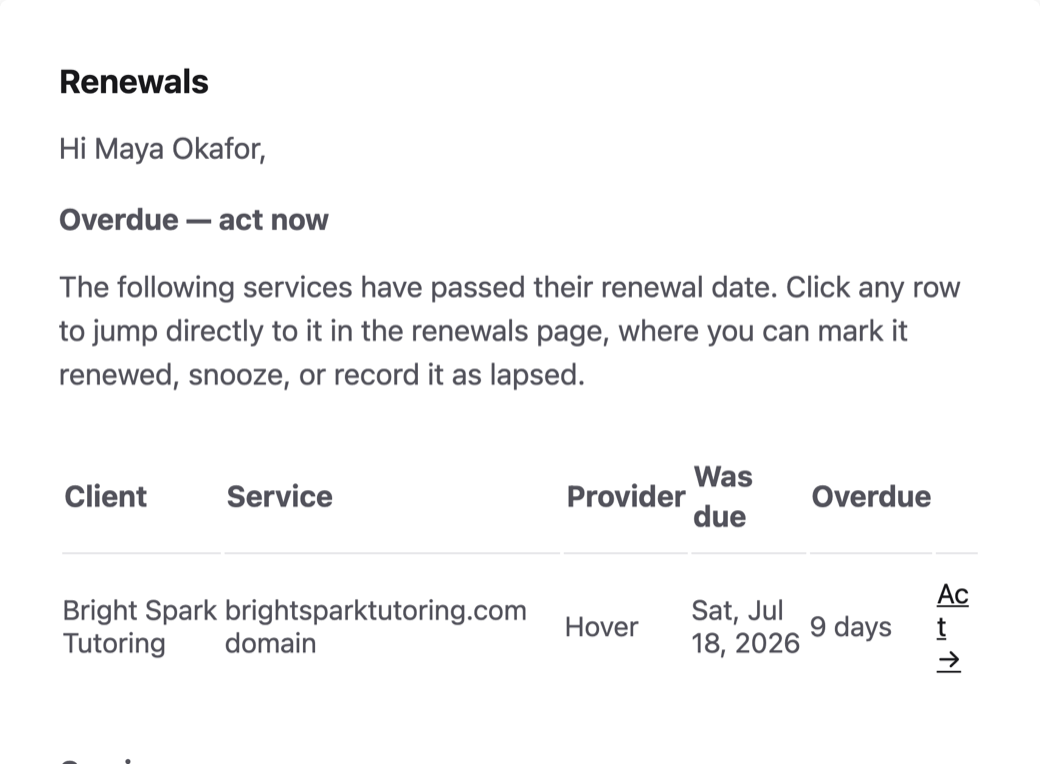
Nothing lapses on Yven’s watch.
Every domain, certificate, and subscription carries a date. Yven watches all of them and sends one morning digest, sorted by urgency, instead of a flood of separate alerts. Each item shows who pays: you, rebilled to the client, or billed direct. Auto-renewals show up too, before they bill, so nothing charges without you knowing.
Renew it, log it, bill it.
When you mark a domain renewed, Yven moves its date on by the renewal period. If you manage it, the Log work form opens with the client and site already filled in. If you rebill it, the charge lands on the client’s next invoice at your markup. Your margin stays private.
The rest of the toolkit
Small conveniences that save time every week.
- Domain, DNS, hosting, SSL, email, etc, mapped to every client
- Yven never stores your secrets, only a pointer to them
- Press W anywhere to log work in under thirty seconds
- Press / anywhere to search clients, sites, and invoices at once
- Hourly or fixed-fee work, batched into one invoice with renewal fees
- Built-in invoicing today, QuickBooks & FreshBooks coming soon
- Set a margin on rebilled services, kept private from the client
- One daily digest for renewals, sorted by urgency
- Slack notifications alongside email, your choice
- Import your clients and services in minutes, export any time
One plan, everything included.
No per-seat math, no per-client metering, no extra charge for features.
- Unlimited clients, sites, and tracked services
- Renewal digests & the full work ledger
- Built-in invoicing today, QuickBooks & FreshBooks coming soon
- Renewal notifications through email or Slack
- Shareable client work logs
- Import and export your client data
“I built Yven because I was the one ctrl-f-ing through three years of email, trying to remember which GoDaddy login belonged to which client. It’s the tool I wish I’d had then: one place to find everything about a client.”
Where Yven fits
Yven is one tool in a small shop’s kit, not the whole kit. Here’s what I’d pair it with.
| You need | Use | Yven’s part |
|---|---|---|
| To know when a site goes down | A monitor, such as Pulsetic | Holds who to call and where the site lives |
| To win and onboard clients | A CRM or client portal | Starts after the sale |
| WordPress updates and backups | ManageWP or similar | Covers every platform, plus renewals and billing |
| A list of client domains | A spreadsheet | Imports it, then reminds you and bills the work |
What Yven doesn’t do
- It doesn’t check whether your sites are up. Use a monitor for that.
- It doesn’t store passwords. Logins point to your password manager, never stored in the app.
- It doesn’t renew anything for you. It tells you early, and records it when you do.
- It has no client logins. Clients get a private link to the work you choose to share.
- It’s built for one shop’s account, not a team with roles.
Questions people ask
- Is Yven a website monitoring tool?
- No. Yven doesn't check whether a site is up. It keeps the record behind each site – who hosts it, who controls the domain, who pays – and reminds you before dates arrive. For live checks, pair it with a monitor such as Pulsetic.
- Does Yven store my clients' passwords?
- No. Logins point to your password manager, never stored in the app. Each service holds the name of the vault entry, like "1Password › Bakery vault", and nothing more.
- Can I bring my spreadsheet?
- Yes. Map your existing columns on import, or start from my free client asset tracking template, which matches the importer column for column. Bringing a book across takes about three minutes.
- Does it work with WordPress, Shopify, Webflow or custom builds?
- Yes. Yven doesn't connect to the sites themselves, so the platform doesn't matter. Each site records its platform, and the services behind it are tracked the same way whatever it runs on.
- How is Yven different from Rinnovo?
- Both keep the domains, hosting, SSL and email behind client sites in one place and remind you before renewals. Rinnovo adds cost tracking and branded PDF reports. Yven adds a work log and invoicing, so the small jobs you do on those sites get billed. (Checked October 2026.)
- Do I still need ManageWP?
- If you run WordPress sites and want bulk updates and backups, yes – Yven doesn't touch the sites themselves. ManageWP covers WordPress maintenance; Yven covers the client book, renewals and billing on every platform.
- Can I bill clients from Yven?
- Yes. Log work as you go, then batch it with any rebilled renewals into one invoice you can print or save as a PDF. Your markup on rebilled services stays private. QuickBooks and FreshBooks push-through is coming soon.
- What happens to my data if I leave?
- You take it with you. Settings exports your clients, sites, services, projects, work history and invoices at any time. I'd rather you stay because Yven is useful, not because leaving is hard.
Make your client book survivable.
Bring every client, site, service, and hour of work into one place. It’s searchable in seconds, backed up every night, and yours to export any time.
Want to see it in more detail first? Read through the help centre:
- Getting started – set up your account and bring your client book across
- The registry – track every client, site, and service, and who pays for what
- Renewals – never let a domain, certificate, or licence lapse by surprise
- Work & invoicing – log work in seconds and batch it into one clean invoice